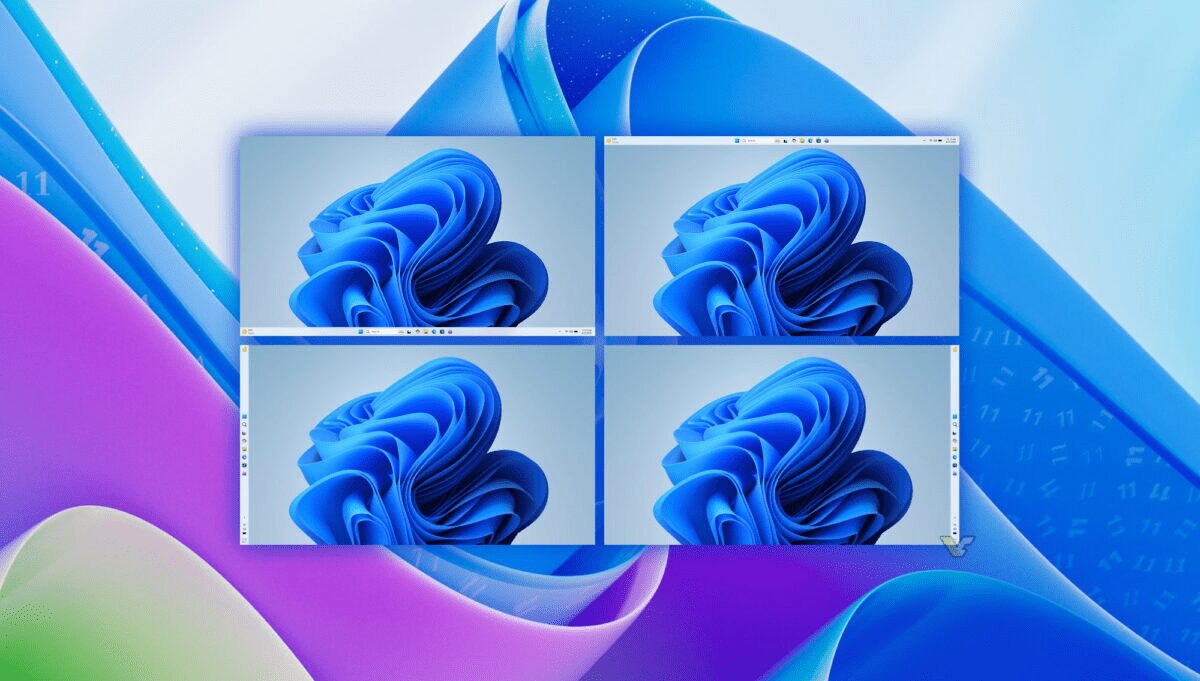
If you’ve been frustrated using Windows 11, Microsoft may have finally acknowledged its mistakes. The company’s latest “quality improvement roadmap” makes it clear: Windows 11 is getting faster, updates will require fewer reboots, and crucially, AI Copilot won’t be popping up everywhere uninvited. The official announcement directly addresses user complaints—better performance, fewer forced restarts, movable taskbar, and one critical point: AI Copilot will stop randomly appearing.
This isn’t a minor patch—it’s Microsoft’s first major system-level rethink in years.
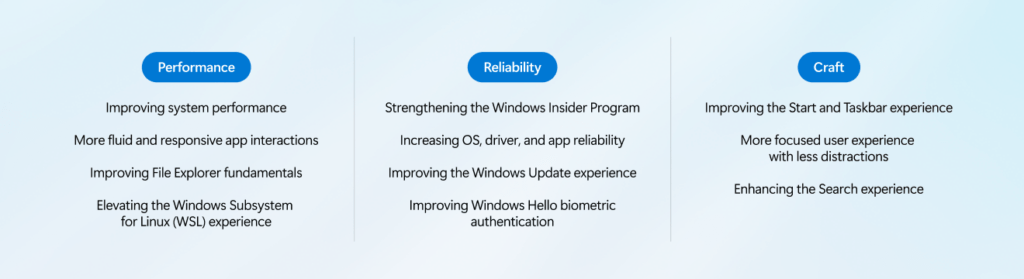
Performance Optimization: More Than Just Talk
Microsoft is targeting Windows 11’s biggest pain point: sluggishness.
The company promises to reduce system resource usage, lower memory consumption, and make overall operations smoother. The most notable target for redesign? File Explorer—something everyone uses daily.
Planned improvements include:
- Faster opening speeds
- Reduced screen flickering
- Smoother navigation
- More stable search and large file operations
Additionally, Windows Subsystem for Linux (WSL) will see speed improvements, showing Microsoft is also prioritizing developer experience.
Taskbar Customization Finally Returns
This feature should have been available from day one, but it’s been delayed until now.
Windows 11 will finally allow taskbar customization again, including:
- Positioning at the top of the screen
- Vertical placement on the sides
This marks the return of the freedom Windows 10 users enjoyed, and Microsoft is essentially admitting—removing this feature was a mistake.
Windows Update Won’t Force Reboots Anymore
This change will likely get the most applause.
Microsoft says future updates will:
- Reduce automatic restarts
- Make the installation process more predictable
- Allow longer update deferrals
- Let users skip updates during initial device setup
No more “I just wanted to shut down but got stuck updating for 20 minutes” scenarios. These changes fundamentally reduce Windows Update’s intrusion, making the system feel more like a tool rather than a demanding boss.
Copilot Reined In: No More Random Pop-ups
This is the most subtle yet crucial point in the entire update.
Microsoft explicitly states it will reduce Copilot’s presence across the system, especially in:
- Snipping Tool
- Photos
- Widgets
- Notepad
This essentially admits one thing—AI integration has been too intrusive and genuinely annoying. Note that this isn’t removal, but “reduction.” Copilot stays, it just won’t be as loud.
Overall Direction Shift: Stability Over New Features
The most important aspect of this roadmap isn’t any single feature—it’s the strategic direction. Microsoft explicitly states that 2026 priorities will focus on:
- Stability
- System reliability
- User experience
Rather than constantly adding new features, Microsoft appears to be acknowledging that Windows 11 needs fundamental refinement. This represents a shift from the “move fast and add features” mentality to prioritizing core system quality—a change Southeast Asian users, who rely heavily on system stability for productivity and gaming, will particularly welcome. The roadmap signals Microsoft’s recognition that rushing AI features without proper integration created more frustration than value, and the company is now course-correcting toward user-first design.